Creating Eye-Catching Designs with the Lemon 3D Green Text Effect
In the world of digital design, standing out is more important than ever. Whether you're creating a poster for an event, designing a logo for a brand, or crafting social media content, visual appeal plays a crucial role in capturing attention. One way to elevate your designs is by using the Lemon 3D Green Text Effect Design. This effect not only adds a vibrant pop of color but also brings depth and dimension to your text, making it ideal for both creative and professional projects.
What Is the Lemon 3D Green Text Effect?
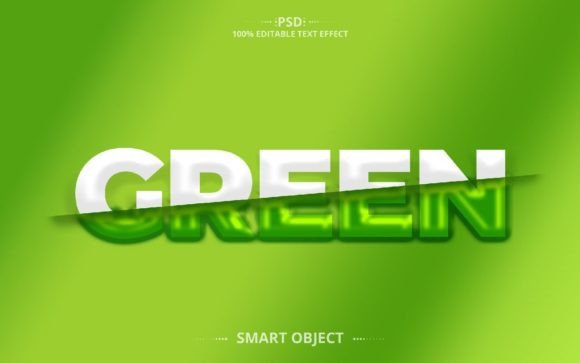
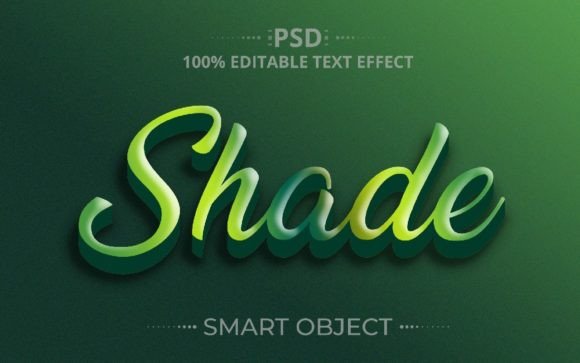
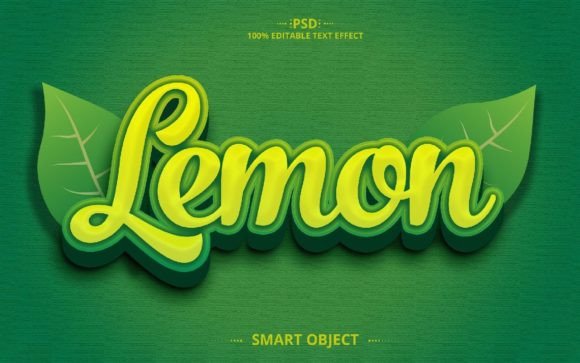
The Lemon 3D Green Text Effect is a visually striking typography style that gives text a three-dimensional look with a bright green hue. It mimics the natural, juicy texture of a lemon while adding a stylized 3D appearance that makes the letters seem as if they are popping off the canvas. The result is a fresh, modern, and dynamic design that can be used across various platforms—from print to digital.
This effect is especially popular among graphic designers who want to add a touch of uniqueness without compromising clarity. The green tones evoke feelings of freshness, vitality, and nature, which makes this effect suitable for health, food, wellness, and lifestyle-related content.
Why Choose the Lemon 3D Green Text Effect Style?
- Vibrant Visual Appeal: The green color is bold and eye-catching, ensuring your message stands out from the crowd.
- High-Quality Resolution: With dimensions of 2000×1250 px and a resolution of 300dpi, this effect is perfect for both web and print use.
- Fully Editable: Unlike static images, this text effect is completely customizable. You can change the text, adjust colors, and tweak shapes to suit your specific needs.
- Well-Organized Layers: The file includes smart object layers, making it easy to modify elements without losing quality or structure.
- Time-Saving Resource: Instead of starting from scratch, this pre-made design template allows you to focus on creativity rather than technical execution.
How to Use the Lemon 3D Green Text Effect in Photoshop
Using the Lemon 3D Green Text Effect is straightforward, even for beginners. Here’s a simple guide to help you get started:
- Open the File: Launch Adobe Photoshop and open the provided PSD file. All the layers will be visible and ready for editing.
- Edit Your Text: Double-click on the smart object layer containing the text. You can now type your own message or replace the existing one. The effect will automatically apply to your new text.
- Customize Colors and Styles: If you want to tweak the green tones or experiment with different lighting effects, you can do so easily using adjustment layers or blending options.
- Export for Use: Once you’re satisfied with your design, export it as JPEG or any other format needed for your project. The high-resolution output ensures sharp and clear visuals on all mediums.
Thanks to its well-organized structure, you don’t need advanced skills to make the most of this resource. Just a basic understanding of Photoshop layers should suffice to bring your ideas to life.
Real-World Applications of the Lemon 3D Green Text Effect
Graphic design isn’t just about aesthetics—it’s also about purpose. The Lemon 3D Green Text Effect is versatile enough to fit into many real-world applications. Let’s explore some of the most common uses:
1. Social Media Graphics
With platforms like Instagram, Facebook, and Twitter demanding attention-grabbing visuals, the Lemon 3D Green Text Effect is a great asset. It works particularly well for food bloggers, fitness influencers, and eco-friendly brands looking to highlight their message with a fresh, clean look.
2. Poster and Banner Design
Whether you’re promoting a product launch, a community event, or a seasonal sale, this effect can make your posters and banners more engaging. The 3D aspect helps the text feel alive and energetic, encouraging viewers to take notice and act.
3. Website Headers and Logos
Websites often rely on headers and logos to create a strong first impression. The Lemon 3D Green Text Effect can be used to craft unique headings that reflect a brand's personality. Its RGB format ensures compatibility with online publishing standards.
4. Merchandise and Packaging
If you're involved in product packaging or custom merchandise design, this effect adds a fun and contemporary twist. Think t-shirts, mugs, stickers, or packaging labels where a vivid, dimensional text can enhance brand visibility.
5. Presentation Slides and Infographics
Presentations and infographics require visual interest to keep the audience engaged. Incorporating the Lemon 3D Green Text Effect into key titles or data points can draw attention and make complex information easier to digest.
Benefits of Using a Fully Editable Text Effect
One of the standout features of the Lemon 3D Green Text Effect is its full editability. This means you’re not limited to what’s provided—you can tailor every element to match your vision. Here are a few benefits of working with an editable text effect:
- Flexibility: Change fonts, sizes, spacing, and alignment to better fit your design theme or branding guidelines.
- Consistency: Apply the same effect across multiple projects to maintain a cohesive look and feel.
- Efficiency: Save time by reusing the design for different texts instead of recreating the effect each time.
- Learning Tool: For those learning Photoshop, this file serves as a practical example of how smart objects and layer styles can be used creatively.
Having access to such a flexible tool means you can adapt quickly to client requests or market trends without having to redesign everything from the ground up.
Key Considerations Before Using the Lemon 3D Green Text Effect
While the Lemon 3D Green Text Effect offers numerous advantages, there are a few things to keep in mind before incorporating it into your work:
1. Readability First
No matter how impressive the effect looks, the primary goal of any text-based design is to communicate a message clearly. Ensure that your chosen font and layout remain legible even after applying the 3D green effect.
2. Background Compatibility
The brightness of the green color may clash with certain backgrounds. Test the effect against different background shades to ensure it remains visually appealing and doesn’t cause unintended distractions.
3. Target Audience
Consider whether the fresh, citrusy vibe aligns with your audience's preferences. While it works great for organic products, wellness campaigns, or summer promotions, it might not be the best fit for more formal or corporate contexts.
4. File Format Requirements
Always confirm the required file format for your project. Although the package includes a JPEG file, you might prefer using the original PSD file for maximum flexibility during the design process.
Enhancing Your Workflow with Smart Object Layers
Smart object layers are one of the most powerful tools in Photoshop, and the Lemon 3D Green Text Effect leverages them effectively. These layers allow you to scale, rotate, and transform elements without degrading image quality. They also preserve the non-destructive nature of your edits, meaning you can go back and adjust settings at any time.
For example, if you decide to resize the text later, you won’t lose clarity because the smart object maintains the integrity of the original vector data. This feature is invaluable when iterating through design drafts or responding to last-minute changes.
Where to Get Help and Customization Support
Even though the Lemon 3D Green Text Effect is user-friendly, there may be times when you need additional support. The designer has made it easy by offering assistance via their Creative Fabrica profile. Whether you're struggling with a particular layer or want a personalized version of the effect, reaching out for help is encouraged.
Customization is key in design. If you have a specific project in mind and need the text effect tailored to your requirements—such as matching brand colors or adjusting the intensity of the 3D shading—the designer is available to assist. This level of support ensures that your final product is exactly what you envisioned.
Final Thoughts on the Lemon 3D Green Text Effect
The Lemon 3D Green Text Effect is more than just a stylish addition to your design toolkit—it’s a functional and adaptable resource that can boost your productivity and creativity. By combining the vibrancy of green with the richness of 3D styling, it offers a compelling visual solution for a wide range of applications.
If you're looking to streamline your workflow while still producing high-quality, impactful designs, this effect is worth considering. And once you’ve downloaded it, remember to give it a rating if you find it useful. Feedback helps creators improve and continue developing top-notch resources for the design community.
Thank you for purchasing the Lemon 3D Green Text Effect Design. We hope it becomes a valuable part of your creative journey.